
AI for legacy PLC code: understand, document and migrate programs nobody wants to touch
Can AI understand, comment or convert old PLC programs? What it does well on RSLogix 500, PLC-5 and S7-300 code, what the vendor tools still do, and what still needs an engineer.
Short answer: yes, AI can help with legacy PLC code, but not in the way most people expect. It is very good at the slow, unglamorous part: reading a program nobody understands anymore, explaining what it does, drafting the comments that were never written, and pointing out what a migration will break. It is not a button that turns an SLC 500 program into a finished, tested ControlLogix program. The vendor’s own tools still do the conversion, and an engineer still owns the result.
This guide walks through what AI can and cannot do with old PLC programs, and a practical order of work for plants facing a migration.
Why legacy PLC code is a problem nobody owns
Most plants run at least one machine on code written 10 to 25 years ago. The pattern is familiar:
- 01Cryptic addresses instead of names. B3:0/4, N7:12, T4:2, DB10.DBX4.1. On older platforms the address was the name, and the meaning lived in someone’s head.
- 02No comments, or wrong ones. Comments were optional, often written once, and rarely updated after the third modification.
- 03The author is gone. The integrator closed, the controls engineer retired, and the last person who understood the sequence left with them. We wrote about this in PLC tribal knowledge and retiring engineers.
- 04It works, so nobody touches it. Until a part fails and there is no replacement.
That last point is now forcing the issue. Rockwell discontinued the PLC-5 in 2017 and has been retiring the SLC 500 family, most of which can no longer be bought new. Siemens has ended sales of the S7-300. Spare parts get harder to find and more expensive every year, and a single failed CPU can turn into weeks of downtime.
So plants have three options: keep running it and stockpile parts, document it properly so the risk is at least understood, or migrate. All three start with the same step: understanding what the code actually does.
Can AI understand legacy PLC code it has never seen?
Yes, with one important condition: it has to read the program, not a fragment of it.
There are two very different ways people try this.
Pasting rungs into a chatbot. You copy a few rungs or a printout into a general-purpose assistant and ask what they do. It will give you a fluent answer. But a rung on its own rarely explains a machine. The bit that enables it is set in another file, cleared in a third, and overwritten by a fault routine somewhere else. Without the whole program, the AI fills the gaps with what machines usually do, which is exactly the wrong assumption for old, heavily modified code. We compare the two approaches in PLCs.ai vs. pasting your PLC files into ChatGPT.
File-aware AI on the full project. Here the AI reads the complete exported project: every routine, every tag or address, every cross-reference. When it explains a rung, it can say where each bit is written, what else reads it, and what sequence step it belongs to.
Here is the kind of question that shows the difference. Take a rung from a converted SLC program:
XIC B3[0].4 XIO N7[12].3 TON T4[2] (preset 15000 ms)
Asked in isolation, the honest answer is “a timer runs when one bit is on and another is off.” Asked against the whole project, a useful answer looks more like this:
This rung starts a 15-second delay before the infeed conveyor restarts after a jam clear. B3[0].4 is the jam-reset request, set in file 6 when the operator presses the reset pushbutton. N7[12].3 is bit 3 of the fault word built in file 9; it is the downstream conveyor-full fault. T4[2].DN is read in file 4, rung 22, where it permits the infeed motor output. Nothing in the program resets N7[12] except a full power cycle, which may explain the restart complaints on this line.
The second answer is something an engineer can check in five minutes. The first one is something they already knew.
This works just as well on “legacy” code that runs on current hardware. Plenty of ControlLogix programs are 15 years old, built on top of a PLC-5 conversion, with the same cryptic structure. Age is about the code, not only the controller.
Can AI add comments and documentation to an old program?
Yes, and this is often the highest-value, lowest-risk place to start, because it changes nothing in the running logic.
Once the AI understands the whole program, it can draft:
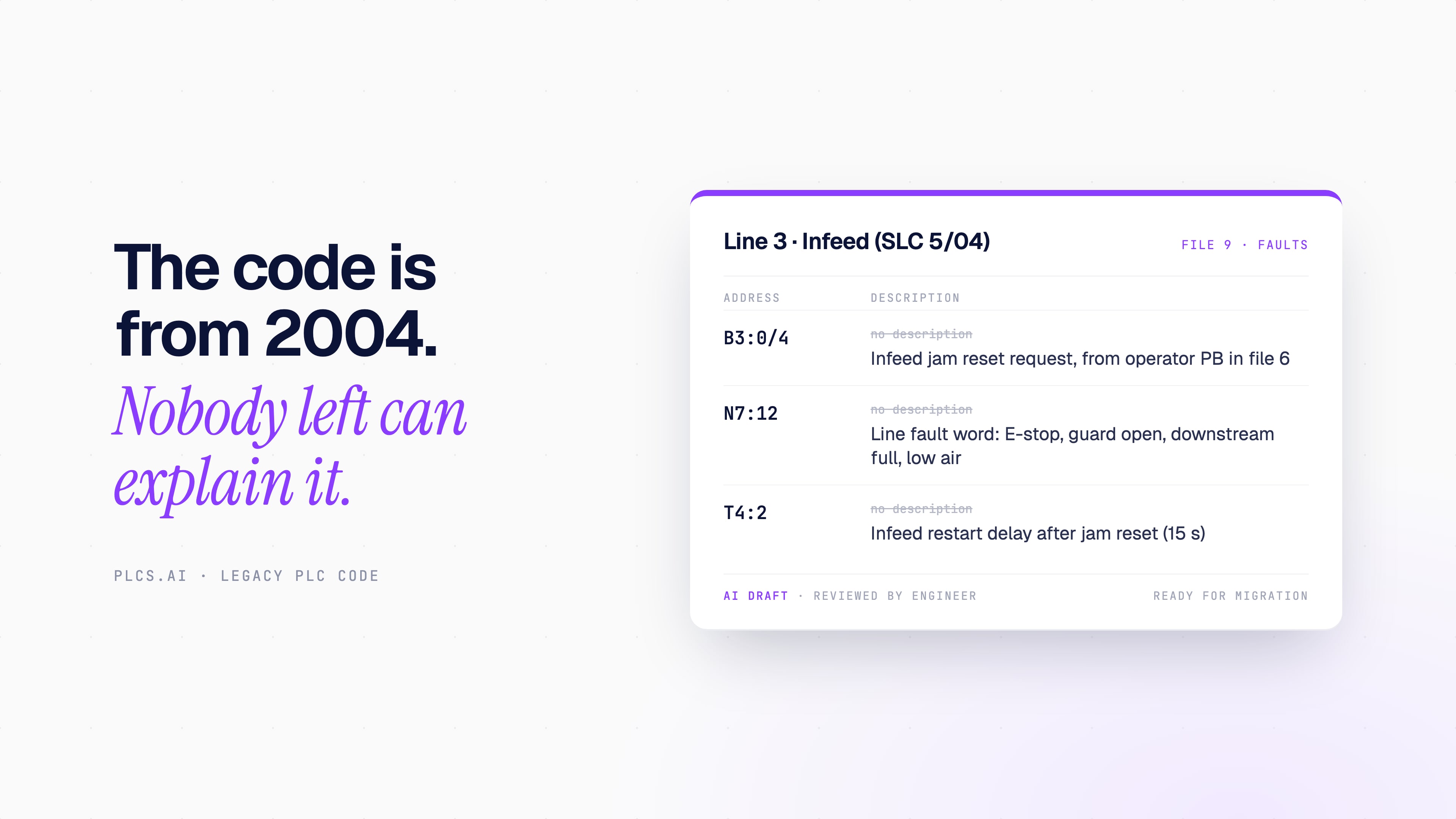
- 01Tag and address descriptions. B3[0].4 becomes “Infeed jam reset request (from operator PB, file 6).”
- 02Rung comments that explain intent, not just instructions: “Wait 15 s after jam reset before re-enabling infeed, unless the downstream conveyor is full.”
- 03Routine summaries, so a new engineer knows which file handles modes, which handles faults and which handles the sequence.
- 04A cross-reference in plain English for the signals that matter most: what can stop this motor, what can start this cycle.
- 05A list of what looks wrong: unused tags, alarms whose input can never be true, routines that are never called, bits written in two places. On old code, this list is often the most useful output of all.
Before and after, the difference is stark:
| Before | After (AI draft, reviewed) |
|---|---|
| N7:12 (no description) | Line fault word. Bit 0 E-stop, bit 1 guard open, bit 3 downstream full, bit 5 low air |
| File 9, no comment | Fault handling: builds N7:12 from inputs and timers, latches until reset in file 6 |
| T4:2 (no description) | Infeed restart delay after jam reset (15 s) |
One rule matters here: generated documentation is a draft until someone who knows the machine has reviewed it. AI infers intent from structure and names. On old code, names are often wrong, and the AI should say when a description is inferred rather than proven by the logic. For a deeper look at what good PLC documentation contains, see how to document PLC code and our overview of PLC documentation software.
Can AI convert RSLogix 500 to Studio 5000, or S7-300 to S7-1500?
This is the question most people are really asking, and it needs a careful answer.
The mechanical conversion is already handled by the PLC vendors’ own tools. Rockwell provides a migration path that converts PLC-5 and SLC 500 programs into a Logix project. Siemens TIA Portal can migrate STEP 7 Classic projects for S7-300 and S7-400 toward S7-1500. These tools know the instruction sets better than any general AI, and they are the right starting point.
What they produce, though, is rarely finished. A converted program typically carries over every cryptic address, gets new names that mean nothing (N7[12]), and contains flagged instructions that did not translate cleanly. That is where AI earns its place: reviewing what the tool produced.
| Migration | Vendor’s own path | Where AI helps | What stays manual |
|---|---|---|---|
| PLC-5 → ControlLogix | Rockwell conversion to a Logix project | Explaining converted logic, resolving flagged instructions, mapping old files to meaningful tags | I/O and hardware mapping, block transfers, timing checks, testing |
| SLC 500 / MicroLogix → CompactLogix | Rockwell conversion to a Logix project | Renaming and describing converted data files, finding indirect addressing, reviewing math and timer differences | I/O mapping, network changes, HMI tag updates, testing |
| S7-300 / S7-400 → S7-1500 | TIA Portal project migration | Explaining blocks and DBs, finding absolute addressing and system calls that need rework | Hardware configuration, safety program, communication, testing |
In practice, AI helps in four ways during a migration:
- 01Before conversion: explain the old program so the team knows what it is supposed to do. This becomes the specification the new program is tested against.
- 02After conversion: review the converted project and list everything that needs attention, in plain language, ranked by risk.
- 03During cleanup: suggest meaningful tag names, UDTs and structure, and draft the comments the original never had.
- 04Before testing: turn the explanation into a test checklist: every interlock, permissive, fault and mode that the new program must reproduce.
What about converting ladder to structured text, or restructuring the whole program? AI can propose that code. But a migration is the worst time to also change the programming style. The safest migrations reproduce the old behavior first, prove it, and improve the code second.
What AI cannot do in a migration
This is the section most articles skip, and it is the one that decides whether a migration goes well.
- 01I/O and hardware mapping. The program does not know which wire lands on which terminal on the new card. Drawings and a walkdown do.
- 02Safety logic. Safety functions need to be designed, validated and signed off under your safety process. AI can explain existing safety-related logic. It does not certify anything.
- 03Timing and scan behavior. Old and new controllers scan differently. Timer bases, one-shots, interrupt routines and communication timing can all behave differently even when the logic “converted cleanly.”
- 04What lives outside the PLC. Drive parameters, HMI screens, SCADA tags, robot programs and other controllers that read this one. Retargeting the HMI is often as much work as the PLC.
- 05Field changes that never made it into the code archive. If someone jumpered an input in 2009, the program will not tell you.
- 06Testing. FAT and SAT, or at minimum a structured test against the documented behavior, are still required. AI can write the checklist. It cannot run the machine.
The honest summary: AI shortens the understanding, documentation and review work, which is often most of the engineering hours in a migration. It does not remove the need for an engineer who owns the result. A good AI tool should say the same thing, and should tell you clearly when an answer depends on information the program does not contain.
A practical workflow: understand, document, decide, migrate
For a plant sitting on old programs, this order keeps risk low and value high.
- 01Understand. Load the full program and ask the questions you would ask the original author: How does a cycle start? What can stop it? What happens on a fault? What is unused? Keep the answers.
- 02Document. Turn those answers into reviewed tag descriptions, rung comments and a short write-up per machine. Even if you never migrate, this alone lowers the risk of the next 2 a.m. breakdown.
- 03Decide. With the program understood, the migrate-or-maintain decision becomes concrete: how much logic, how many special cases, how much depends on hardware you can no longer buy.
- 04Migrate. Convert with the vendor’s tool, review the result against the documentation from step 2, clean it up, and test against the behavior you already wrote down.
Where PLCs.ai fits in a legacy migration
PLCs.ai reads complete Studio 5000, TIA Portal and CODESYS V3 projects. It does not open RSLogix 500, RSLogix 5 or STEP 7 Classic files directly, so for PLC-5, SLC 500 and S7-300 code it comes in once the vendor’s tool has converted the program. From there, it follows the four steps above:
- 01Understand. Ask how a cycle starts, what can stop a motor or what happens on a fault, and get a plain-English answer that points to the routines and tags behind each conclusion. It reasons across every PLC on a line, so a permissive set by a neighboring controller is part of the answer.
- 02Document. Generate documentation of the converted project: what each routine does, how the sequence runs and where the interlocks are, as a draft for an engineer to review.
- 03Decide. See the gaps before you commit: tags no routine writes, alarms that can never fire, routines that are empty or never called.
- 04Migrate. Review the cleaned-up project against the behavior you documented. Any code change PLCs.ai proposes is simulated and reviewed before it is saved.
When a question depends on something the project does not contain, such as wiring, drive parameters or a field change that never made it into the code, the answer says so instead of guessing. For the bigger picture, see what automation context means and our vendor pages for Studio 5000 and TIA Portal.
Try it on one of your own programs, start a free trial →Frequently asked questions
Can AI understand old PLC code with no comments?
Yes. AI that reads the whole program can work out what a rung or block does from how addresses are written, read and sequenced, without relying on comments. Where it infers meaning from structure rather than proving it from the logic, a good tool says so.
Can AI add comments to a PLC program automatically?
It can draft tag descriptions, rung comments and routine summaries from the logic. Treat them as drafts: have someone who knows the machine review them before they go into the official project.
Can AI convert RSLogix 500 to Studio 5000?
Use Rockwell’s own conversion for the mechanical step. AI is most useful before and after it: explaining the original program, reviewing the converted project, resolving flagged instructions and drafting meaningful names and comments. It does not replace I/O mapping or testing.
Can AI convert S7-300 code to S7-1500?
TIA Portal handles the project migration. AI helps explain the original blocks, find what needs rework after migration, and build a test checklist from the existing behavior. Hardware configuration, safety and commissioning stay with the engineer.
Can AI convert ladder logic to structured text?
It can propose structured text from ladder logic. During a migration it is usually safer to reproduce the existing behavior first and restructure later, so you are testing one change at a time.
Is it safe to upload PLC code to an AI tool?
It depends on the tool. Ask where the project is stored, who can access it, whether it is used to train models, and whether the tool can change anything on the controller. Reading an exported project offline does not touch the running machine.
Does AI replace the PLC vendor’s migration tool?
No. The vendor tool does the instruction-level conversion. AI helps with the parts the tool cannot: understanding intent, documenting, reviewing and planning the test.
Can PLCs.ai help migrate PLC-5, SLC 500 or S7-300 code?
Yes, once the program has been converted. PLCs.ai reads Studio 5000, TIA Portal and CODESYS V3 projects, not RSLogix 500, RSLogix 5 or STEP 7 Classic files. After Rockwell’s or Siemens’ tool converts the program, PLCs.ai explains the converted logic, documents it, lists what looks wrong or incomplete, and helps build the test checklist. I/O mapping, safety validation and commissioning stay with the engineer.
What will an integrator still need to quote for?
Hardware design and I/O mapping, panel work, network and HMI changes, safety validation, commissioning and testing. AI mainly reduces the hours spent figuring out what the old code does, which is often the most uncertain line in the quote.
The real work is understanding, not converting
The conversion itself is the shortest step in most migrations. The long, expensive part is figuring out what a 20-year-old program actually does, and proving the new one does the same. That is the part AI is now genuinely good at, as long as it reads the whole program, shows its evidence and is honest about what it cannot know.
Start there, even if you are not ready to migrate. A program that is understood and documented is a much smaller risk than one that only works because nobody touches it.
More from the blog
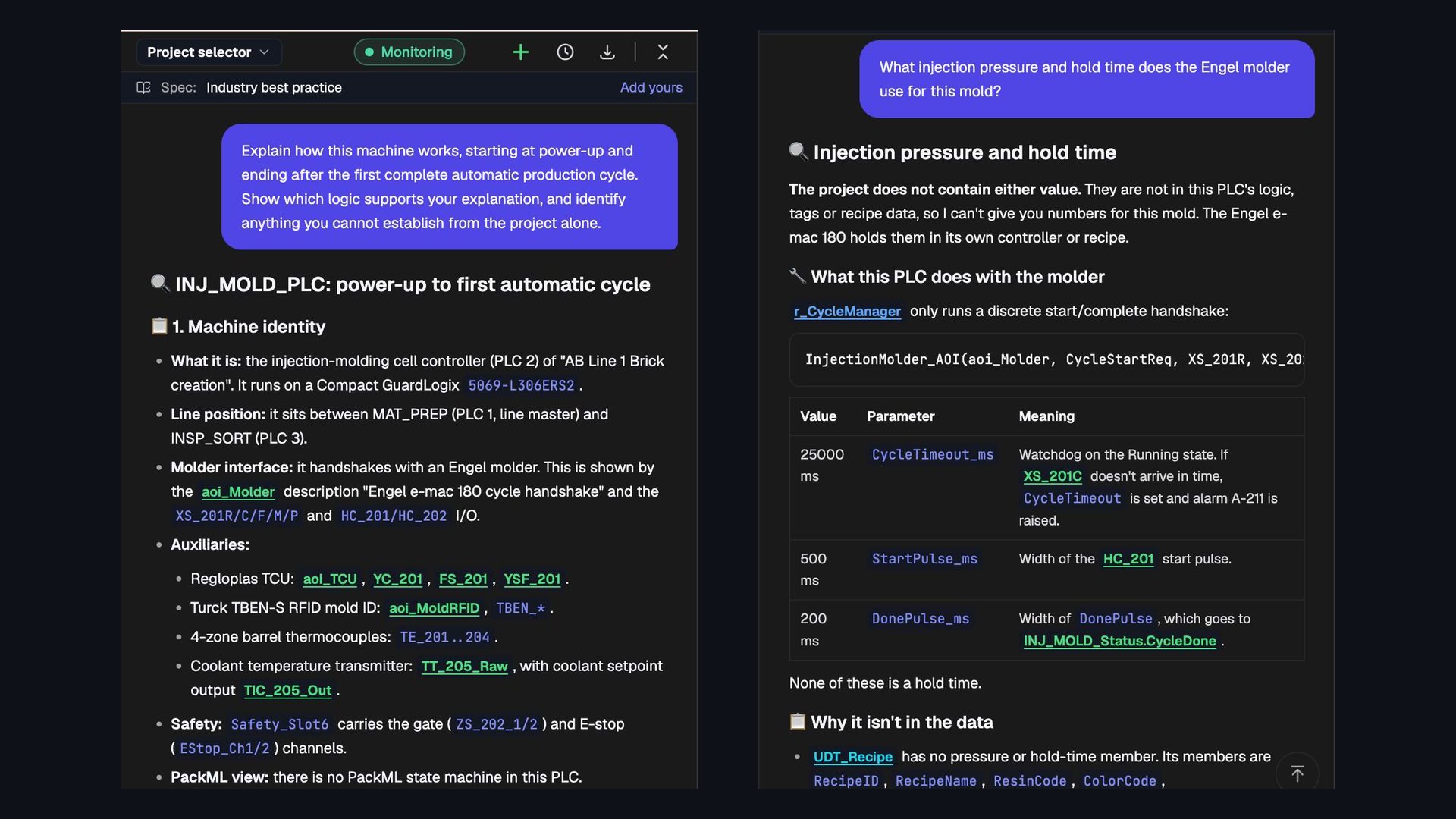
Can AI read an entire PLC project and explain how the machine works?
We asked PLCs.ai to explain an Allen-Bradley injection-molding cell from power-up to its first automatic cycle. What whole-project understanding looks like, and seven ways to test it.
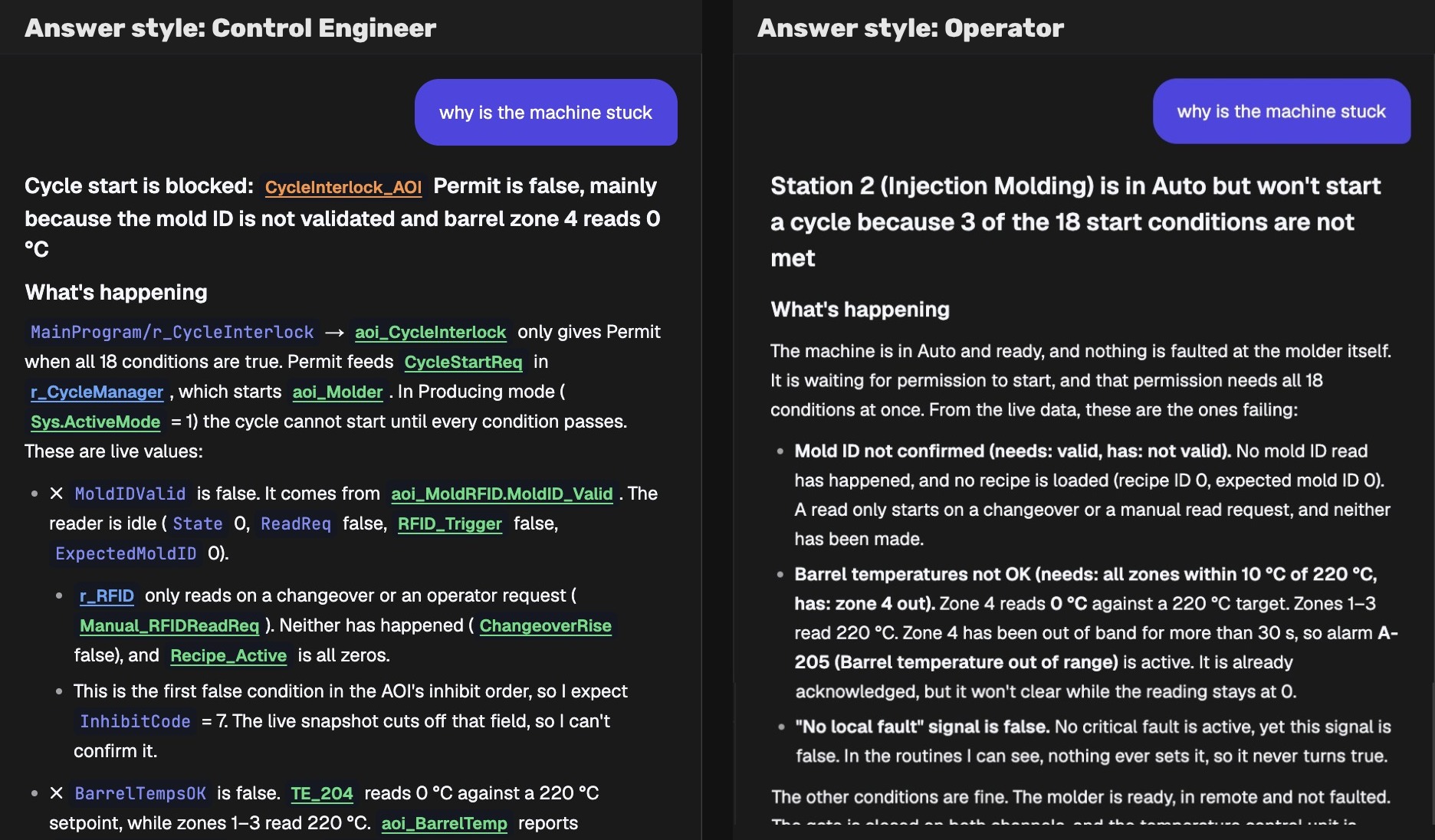
AI PLC Troubleshooting for Maintenance Teams Without the IDE
Most people who need PLC answers never open Studio 5000 or TIA Portal. How role-based AI gives operators and maintenance teams answers they can act on.
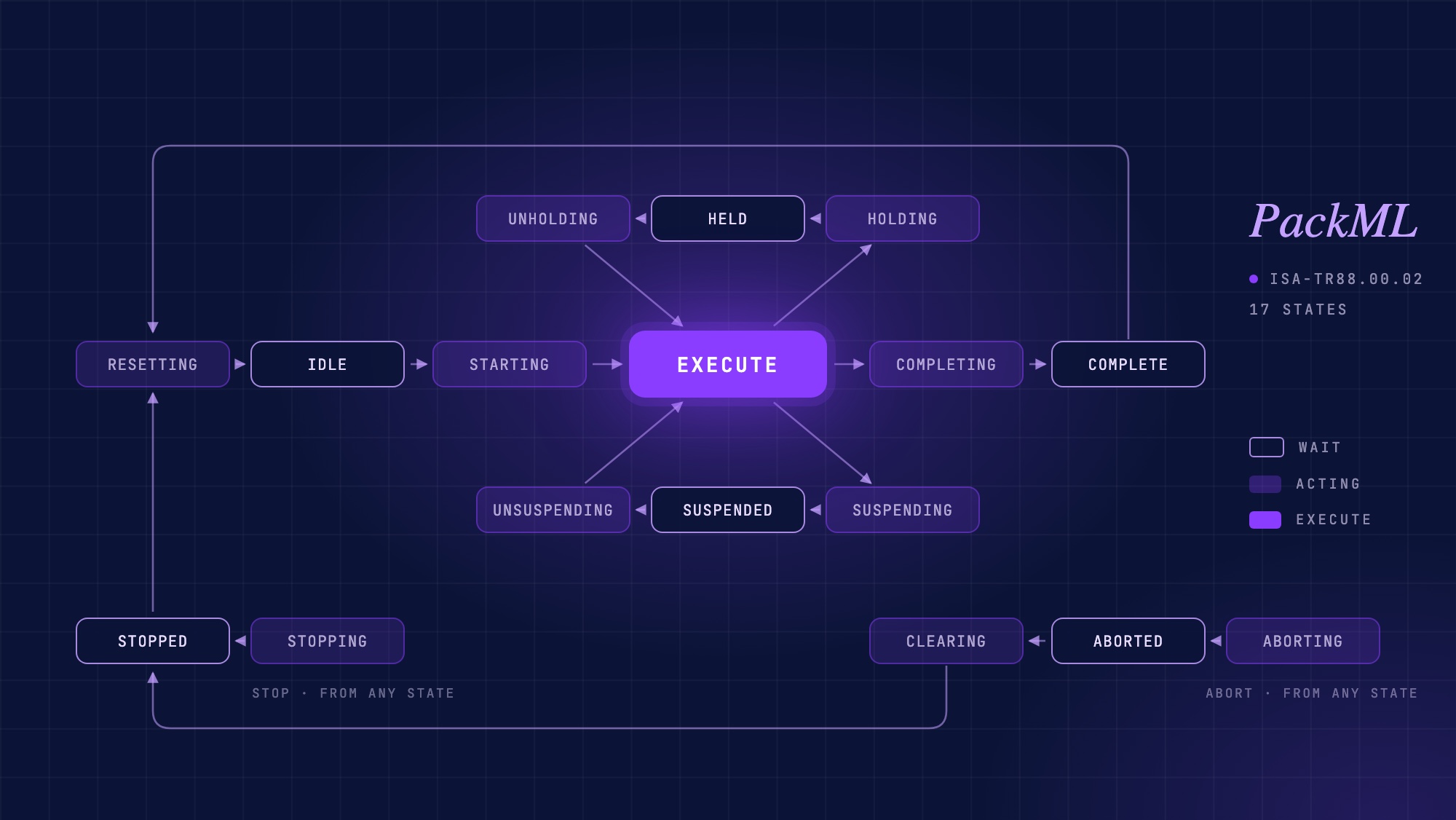
PackML explained: the state model, PackTags, and where AI fits
What PackML is, how the 17-state machine, modes and PackTags work, how to check whether a PLC project really follows it, and where AI helps.