
PLCs.ai now supports CODESYS V3 projects, across the entire CODESYS ecosystem.
PLCs.ai now supports CODESYS V3 projects, across first-party CODESYS environments and OEM platforms like WAGO, ABB, and Bosch Rexroth. A CODESYS export has no tag table and no hardware/IO tree, so getting there took real re-engineering, not just a new parser.
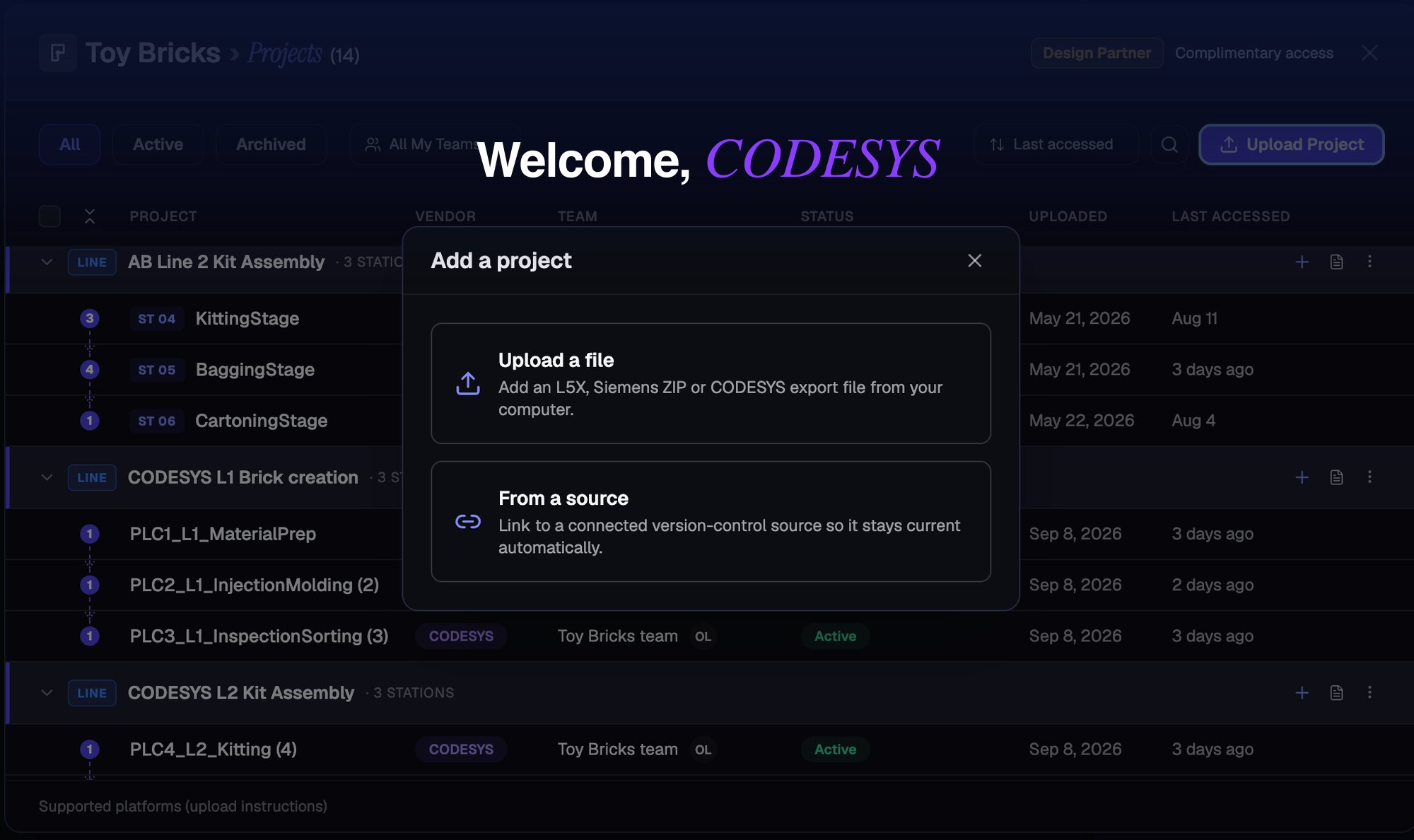
Welcome, CODESYS, to the PLCs.ai supported family. L5X, Siemens ZIP, or a CODESYS export, one upload flow for all three.
PLCs.ai now supports CODESYS V3 projects.
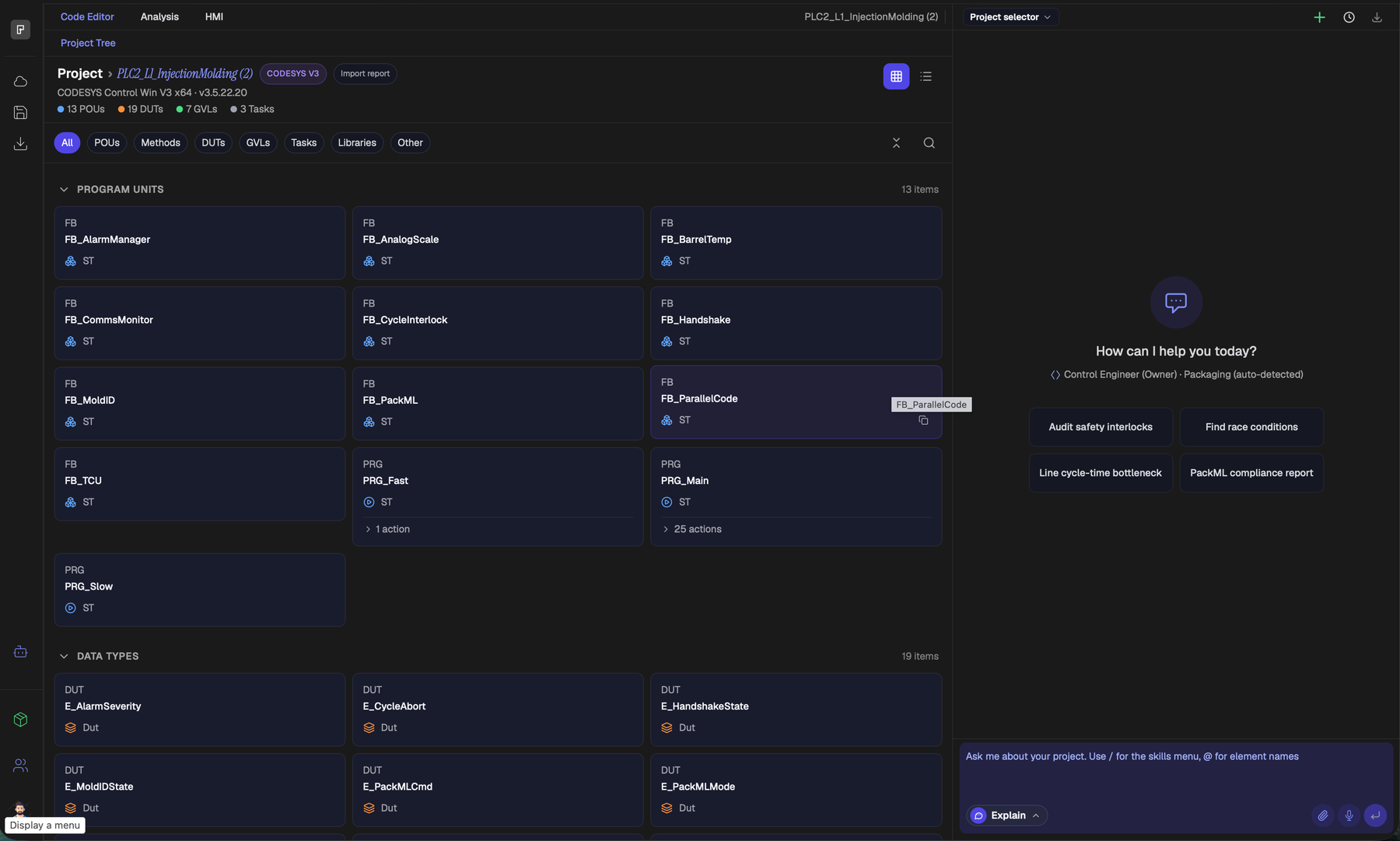
CODESYS joins Rockwell and Siemens as a first-class platform inside PLCs.ai. Upload a CODESYS V3 project and you can parse and navigate its structure, ask questions about the logic in natural language, run engineering and compliance analysis, generate documentation, and have the AI author or modify Structured Text and Ladder logic, all of it also available through the PLCs.ai public API.
That’s the headline. Here’s what actually went into it.
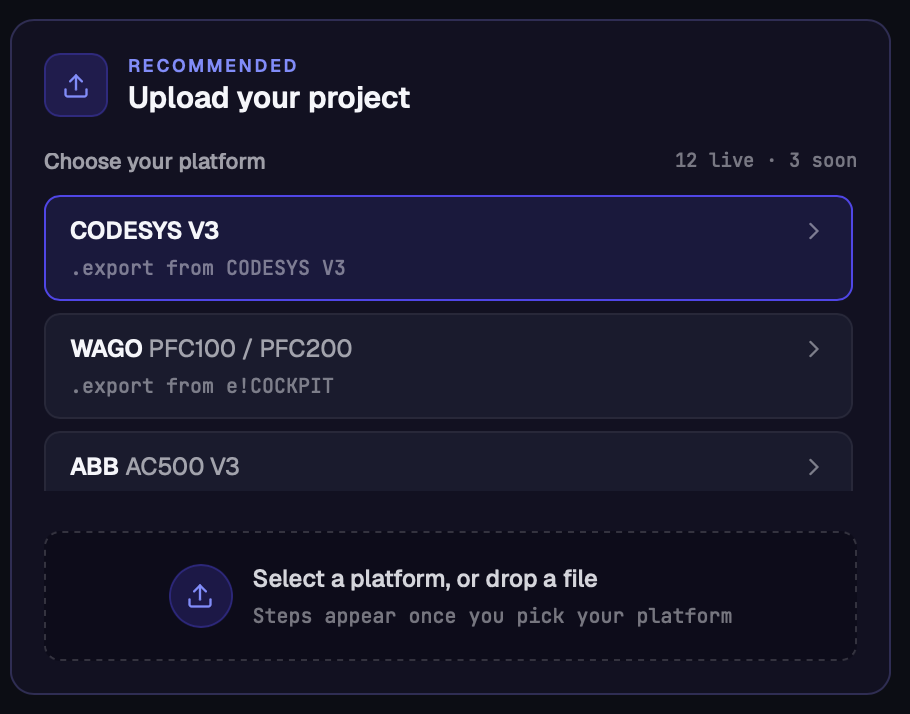
One parser, a wide ecosystem
CODESYS isn’t a single vendor’s IDE. It’s the engineering platform behind a long list of OEM-branded environments, and PLCs.ai’s CODESYS V3 support extends across all of them through one shared parser.
- 01First-party CODESYS V3 (CODESYS 2.3/V2 isn’t supported yet).
- 02WAGO.
- 03ABB.
- 04Eaton.
- 05Bosch Rexroth.
- 06Festo.
- 07Lenze.
- 08ifm electronic.
- 09Phoenix Contact.
- 10Turck.
- 11Schneider Machine Expert isn’t in this release, but it’s next on the list, and not far out.
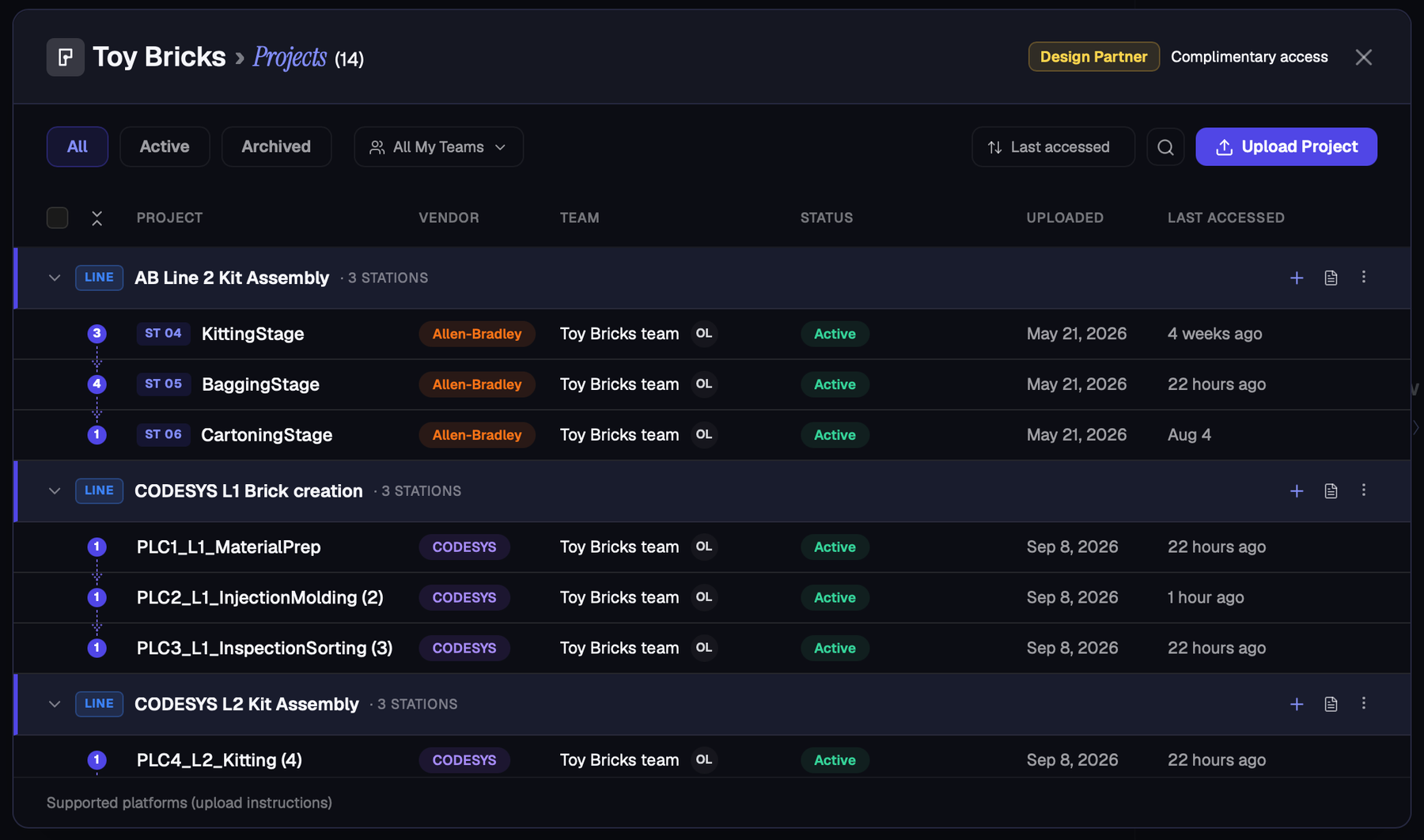
That matters because real factories are rarely single-vendor. A production line assembled over many years by different machine builders often runs controllers from several of these ecosystems side by side, and PLCs.ai now treats all of them as one CODESYS family rather than separate integrations.
Why CODESYS needed different reasoning, not just a new parser
A CODESYS .export carries no tag table and no hardware/I/O module tree, the two things both Rockwell’s L5X and Siemens’ TIA exports provide. Almost every CODESYS-specific behavior in PLCs.ai traces back to that one gap.
- 01Located %I and %Q variables become the only hard evidence of physical I/O. Take a variable declared AT %IX0.0: with no tag table to check against, that address is the only proof it’s wired to a physical input rather than internal state. %IW and %ID addresses get read as analog instead of digital, for the same reason.
- 02Function Block instances are counted explicitly. Six identical FB_Handshake instances across six stations get counted individually, not collapsed into one box, so a six-station line still looks like six stations, not one.
- 03Object-orientation, EXTENDS, IMPLEMENTS, Methods, Properties, Interfaces, overrides, gets analyzed as its own layer, including the fact that a call through an interface-typed variable can dispatch to any implementer.
- 04Safety logic is identified by library references and PLCopen naming, such as SF_EmergencyStop, since CODESYS has no safety-controller class to key on.
- 05Industry patterns like PackML get recognized from naming conventions, not tag structures.
- 06Everything is described in POU, Function Block, Method, GVL, DUT, and Task, IEC 61131-3 terms, never Rockwell’s or Siemens’.
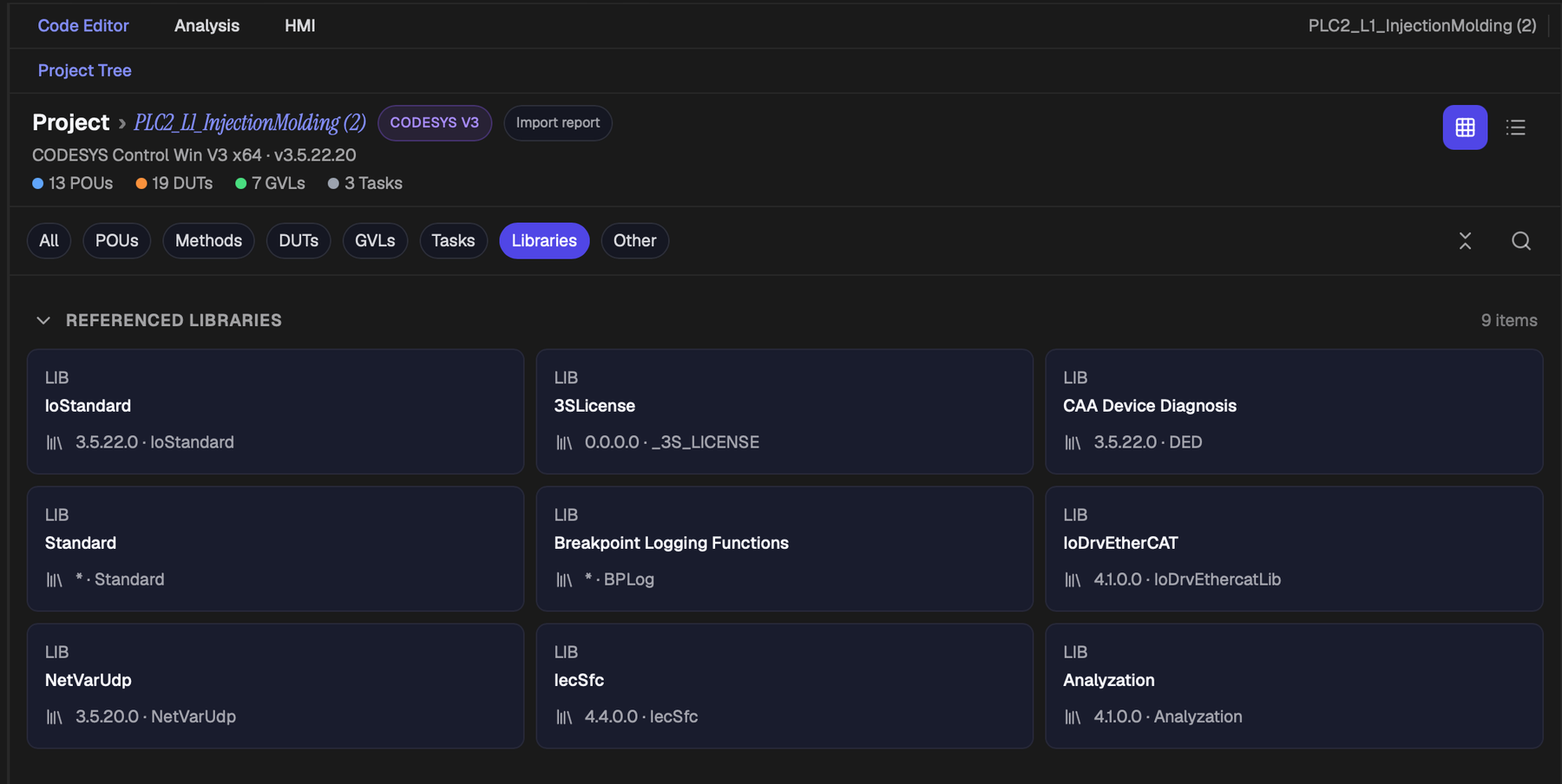
The Import Report: naming what isn’t there
Every CODESYS upload gets an Import Report: what was captured, what wasn’t, and what the project references but doesn’t contain. It only flags a partial import when there’s hard evidence something was left out, not just an unresolved name, so it doesn’t cry wolf.
A “not captured” entry might read as plainly as: FBD body for CTRL_ValveSequence not drawn, logic is present but not represented as text. That’s the difference between silence and a defect.
And it doesn’t just sit in the UI. It feeds the AI’s own prompt, so the model is told what it can’t see instead of quietly assuming it doesn’t exist.
Why not just give an LLM more PLC context? →We’ve made this argument before in the abstract. This is what it looks like built into a product: absence of information is not evidence of absence.
Where this fits
CODESYS is the third major platform inside PLCs.ai, and it won’t be the last. Every ecosystem we add has to earn its place with reasoning built for how that platform actually represents a project, not a reskinned version of whatever we built for the last one. That’s the part of the multi-vendor bet that doesn’t show up in a feature list.
How PLCs.ai builds Automation Context, layer by layer →More from the blog
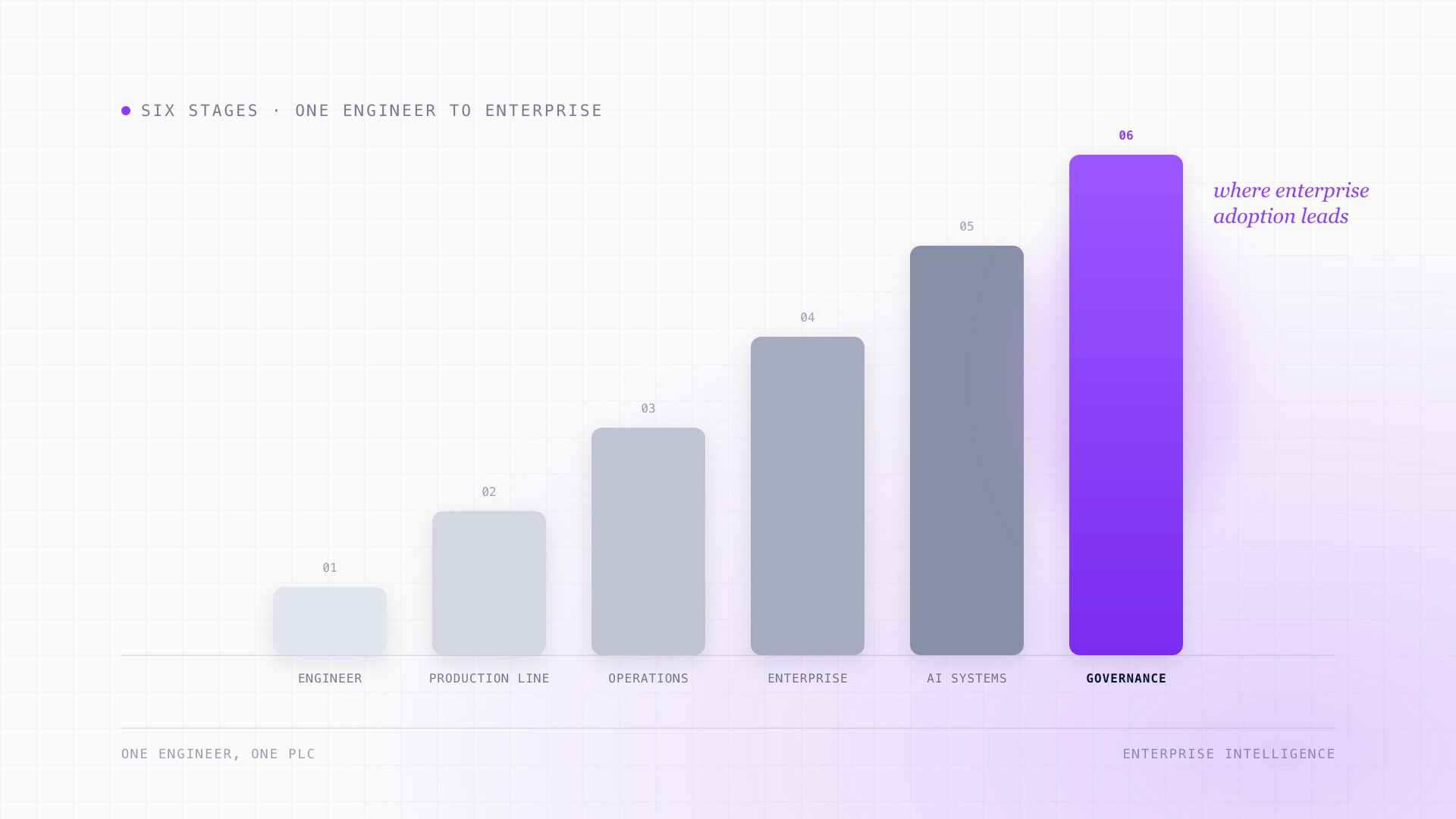
The manufacturing AI adoption journey: from individual tools to enterprise intelligence.
AI adoption in manufacturing almost never starts as a transformation. It starts with one engineer, one PLC, and one AI model. What changes at each stage after that, from helping a maintenance tech at 2 AM to governing access across an entire enterprise, and why the infrastructure needed at the end looks nothing like where most manufacturers start.
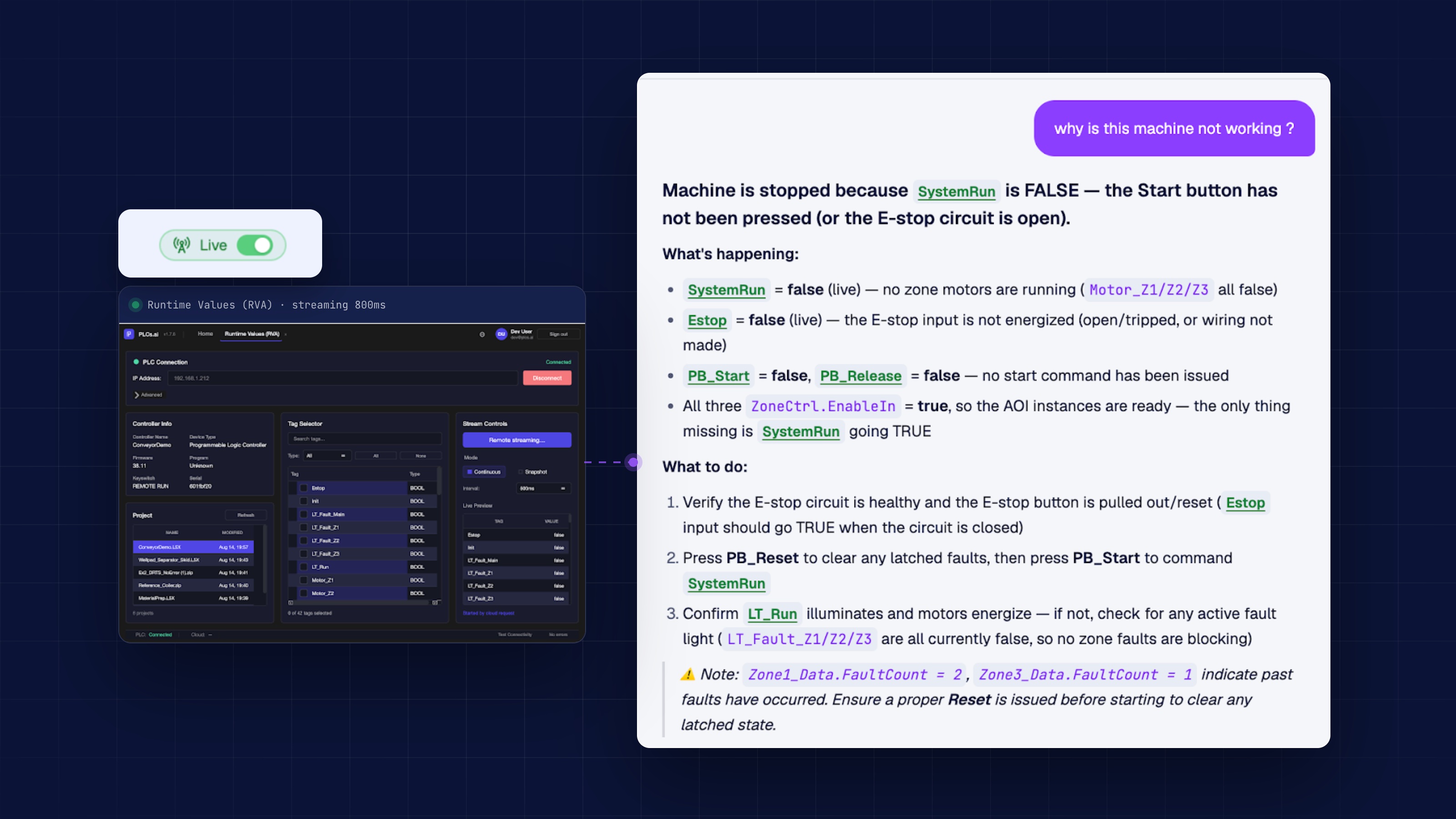
Runtime PLC data doesn’t just help troubleshooting. It multiplies it.
Reading the code tells you what a line is supposed to do. Runtime tag values tell you what it is actually doing right now. Troubleshooting needs both, and the gap between them is where most outages drag on.
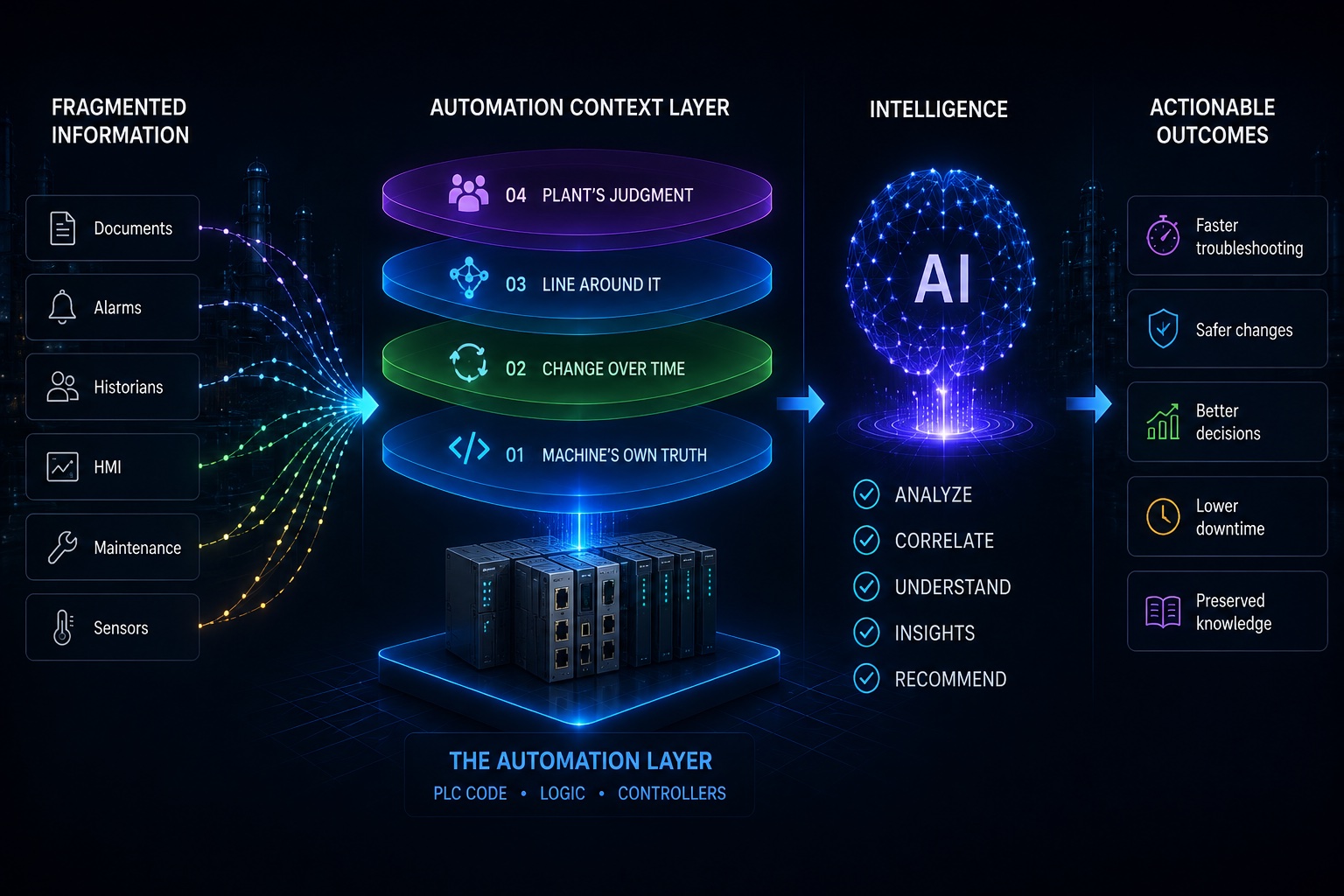
Industrial AI doesn’t have an intelligence problem. It has a context problem.
Today’s AI models are extraordinarily capable. But intelligence alone can’t tell you why a production line stopped, what an interlock protects, or what happens three stations downstream if an engineer changes a rung.