
Runtime PLC data doesn’t just help troubleshooting. It multiplies it.
Reading the code tells you what a line is supposed to do. Runtime tag values tell you what it is actually doing right now. Troubleshooting needs both, and the gap between them is where most outages drag on.
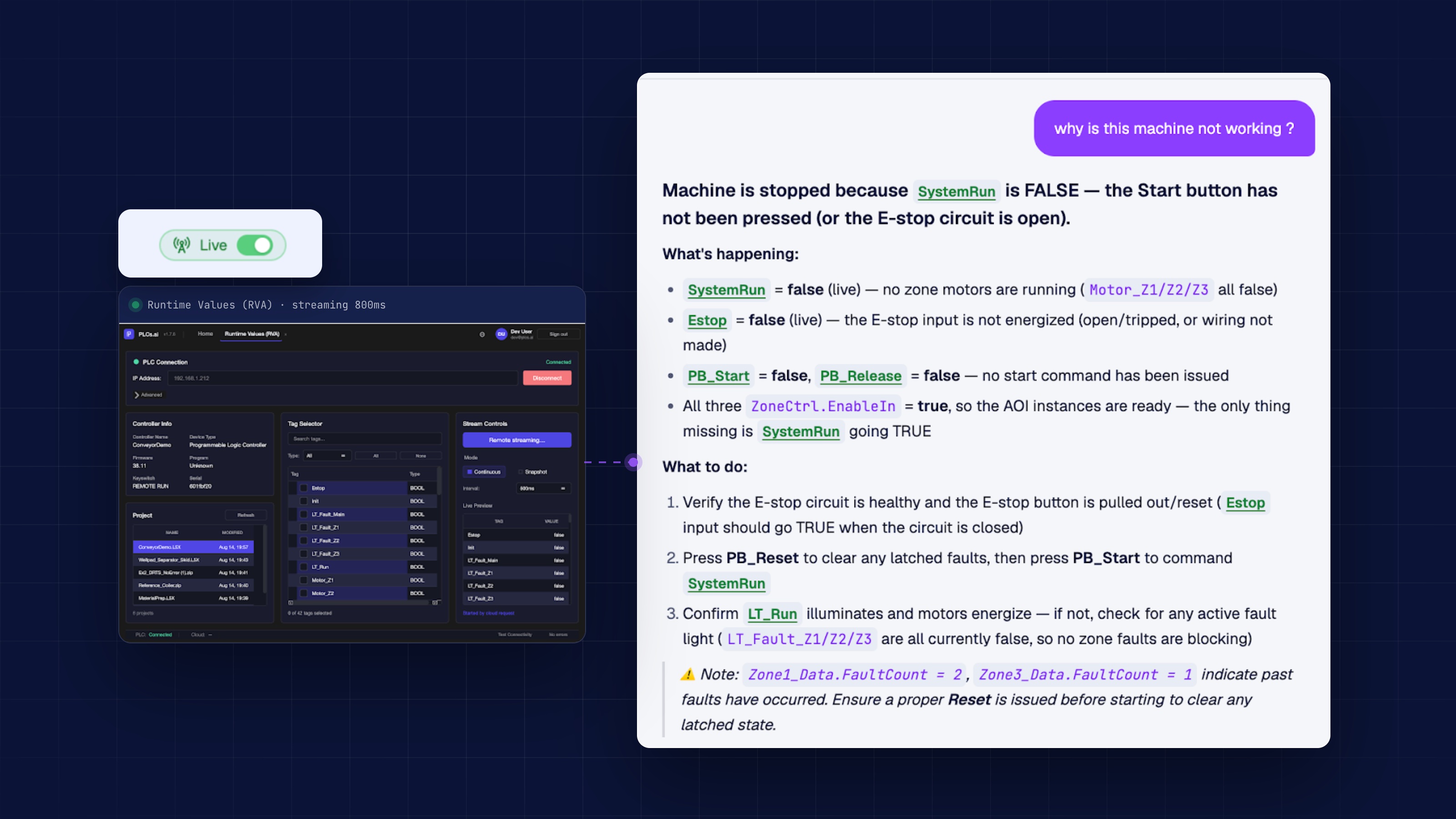
The line is stopped. The engineer opens the project and starts reading rungs, building a theory of what went wrong from the logic alone. That is how troubleshooting has always worked: infer the cause from the code, then walk the floor to test the theory.
Troubleshooting from the code alone is a hypothesis
Ladder logic tells you what should happen: which permissive should be true before the next step fires, which sensor should have tripped, what state a sequence should be in by now. It does not tell you what the controller is actually doing at this exact moment. Every root cause built from code alone is a hypothesis, and a good engineer already knows it: you trace the interlock chain, land on the most likely culprit, then go confirm it by hand, forcing a tag or reading a panel meter to see if the theory holds.
That confirmation step is where time disappears. Not because the reasoning was wrong, but because reasoning about code alone can only ever produce a candidate, not a verdict.
What changes when the data is live
This is what the Desktop Companion App is built for. It connects to a running controller and streams live tag values straight into PLCs.ai, read-only, never writing back to the PLC. The same permissive, sensor, and timer the engineer is reasoning about stops being a line in the code and becomes a real value, updating as the line runs.
A hypothesis that used to need a walk to the panel now gets confirmed or ruled out in seconds, from the same screen where the question was asked.
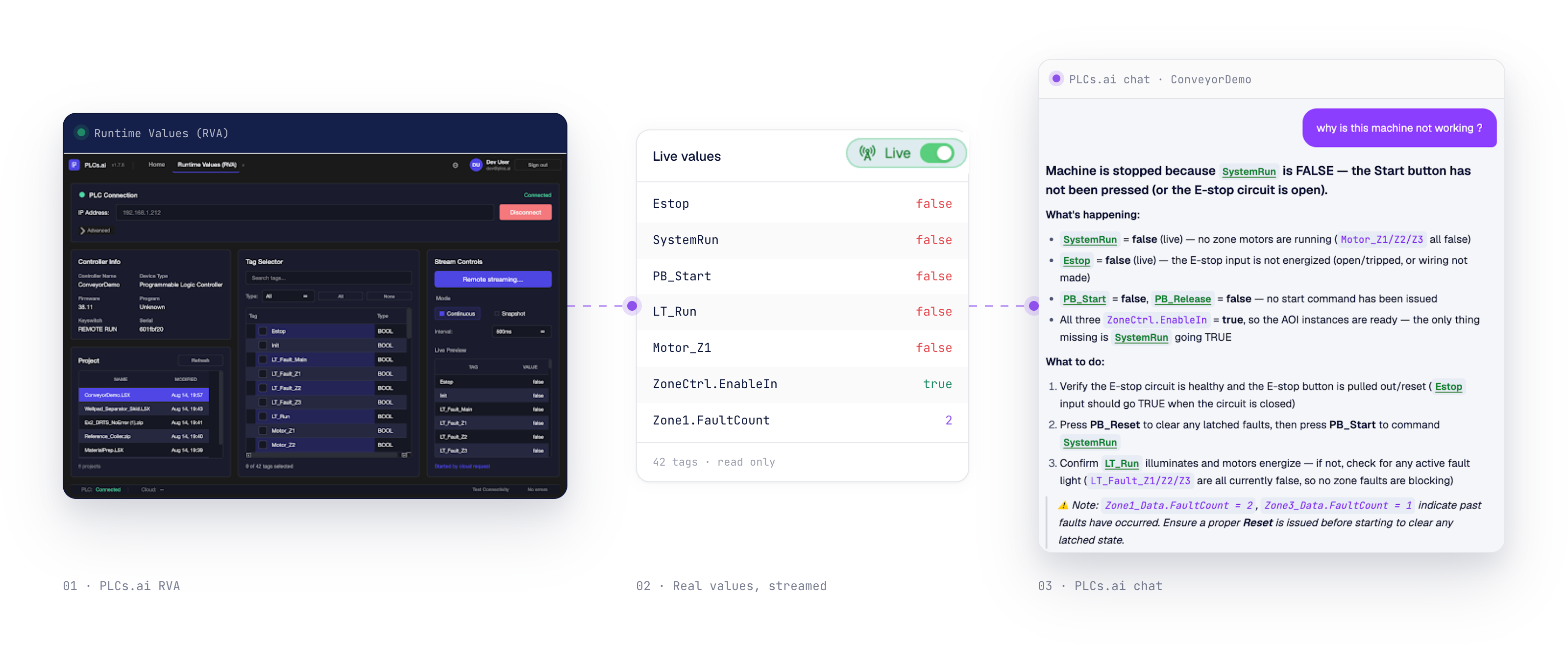
The code tells you what should happen. Runtime data tells you what is happening. Troubleshooting needs both, and most tools only ever gave you one.
A multiplier, not a separate tool
Live tag values on their own are not new; plenty of HMIs already show them. The difference is reasoning about those values together with the logic, the interlocks, and the rest of the line, in the same conversation an engineer is already having about the code. Root cause analysis grounded in what the controller is doing right now does not just confirm the theory faster. It rules out the wrong theories before anyone acts on them, and it makes the suggested fix something that follows from the actual state of the machine, not just the shape of the logic.
That is why we think of runtime data as a multiplier on top of an already capable troubleshooting engine, not a feature bolted alongside it. The reasoning was already there. Runtime data gives it the dimension it was missing to be certain instead of probable.
Faster to root cause, more accurate to fix
Siemens’ True Cost of Downtime report (2024) puts the average plant at 25 unplanned stops and 27 downtime hours per month, with a 65-minute mean time to repair, and reliability engineering handbooks have long shown that hands-on repair is only 30 to 40 percent of that time. The rest is spent finding the fault. Runtime data attacks that fault-finding share directly: instead of a candidate cause that still needs a bench test, the engineer gets a root cause confirmed against what the line is doing right now, and a fix that starts from the same ground truth.
The first attempt at a fix being the right one matters as much as reaching it quickly. A remedy grounded in live state is far less likely to send someone back to the panel for a second round.
See live tag streaming on Studio 5000 →See live tag streaming on TIA Portal →How AI reads ladder logic in the first place →More from the blog
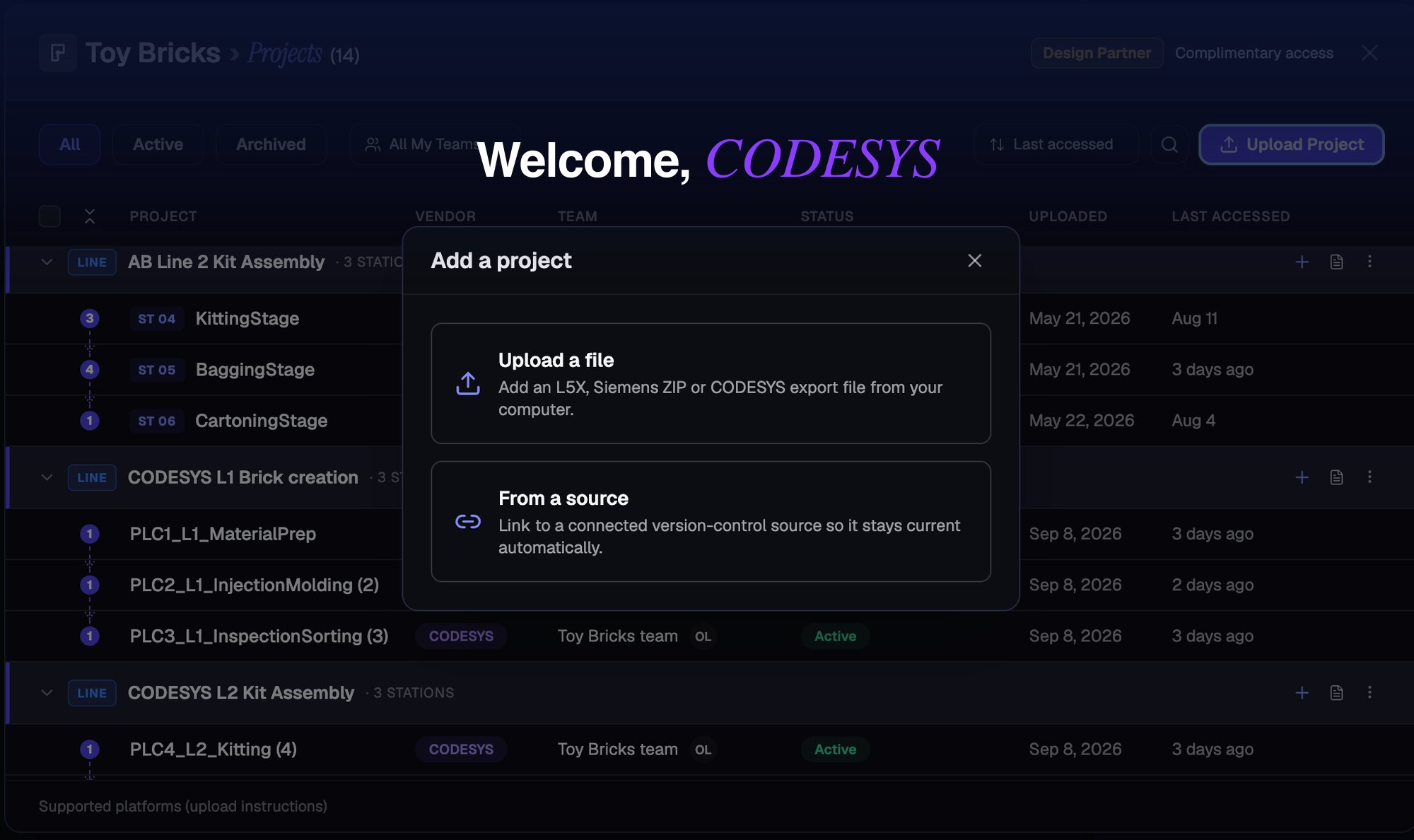
PLCs.ai now supports CODESYS V3 projects, across the entire CODESYS ecosystem.
PLCs.ai now supports CODESYS V3 projects, across first-party CODESYS environments and OEM platforms like WAGO, ABB, and Bosch Rexroth. A CODESYS export has no tag table and no hardware/IO tree, so getting there took real re-engineering, not just a new parser.
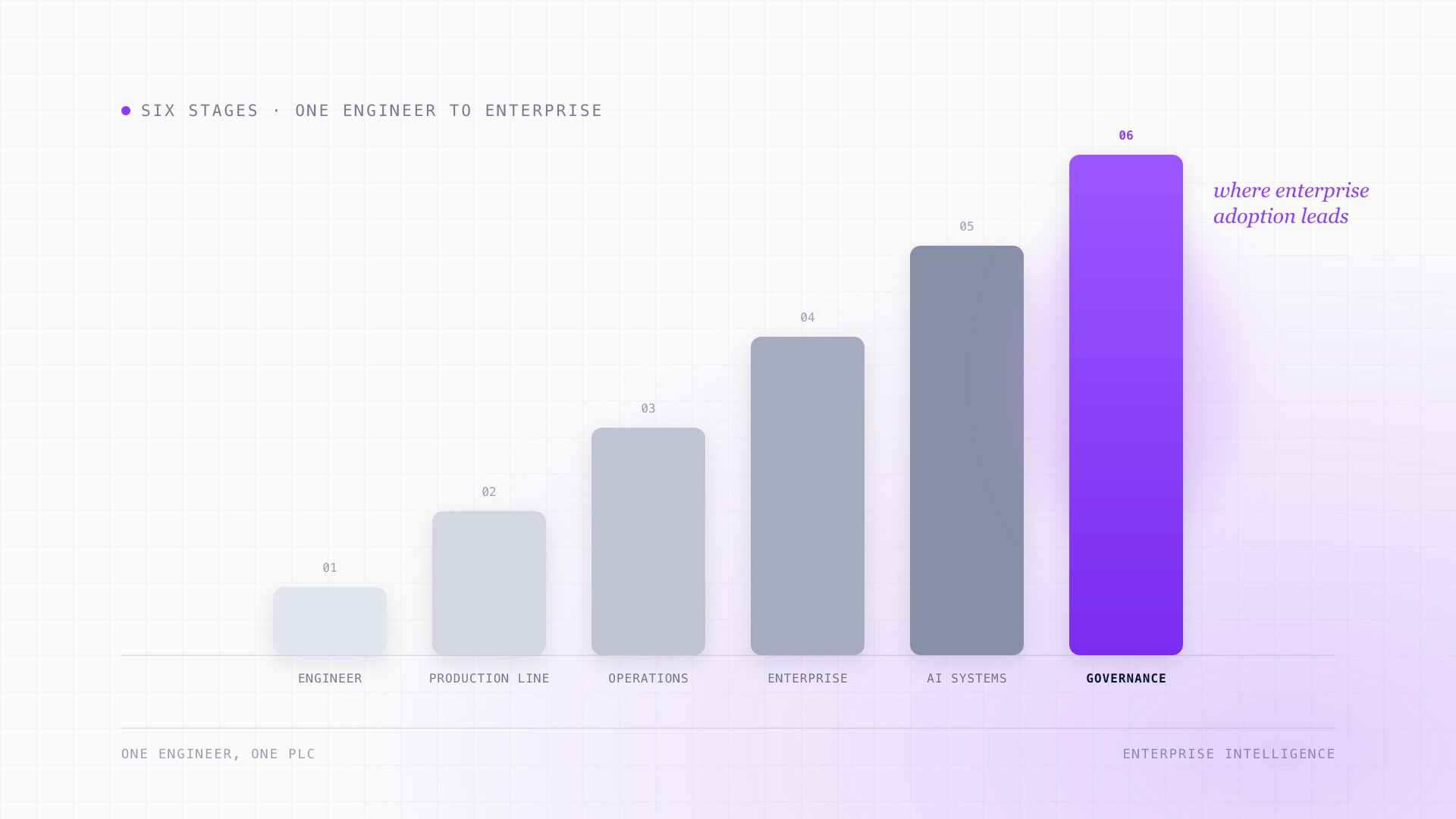
The manufacturing AI adoption journey: from individual tools to enterprise intelligence.
AI adoption in manufacturing almost never starts as a transformation. It starts with one engineer, one PLC, and one AI model. What changes at each stage after that, from helping a maintenance tech at 2 AM to governing access across an entire enterprise, and why the infrastructure needed at the end looks nothing like where most manufacturers start.
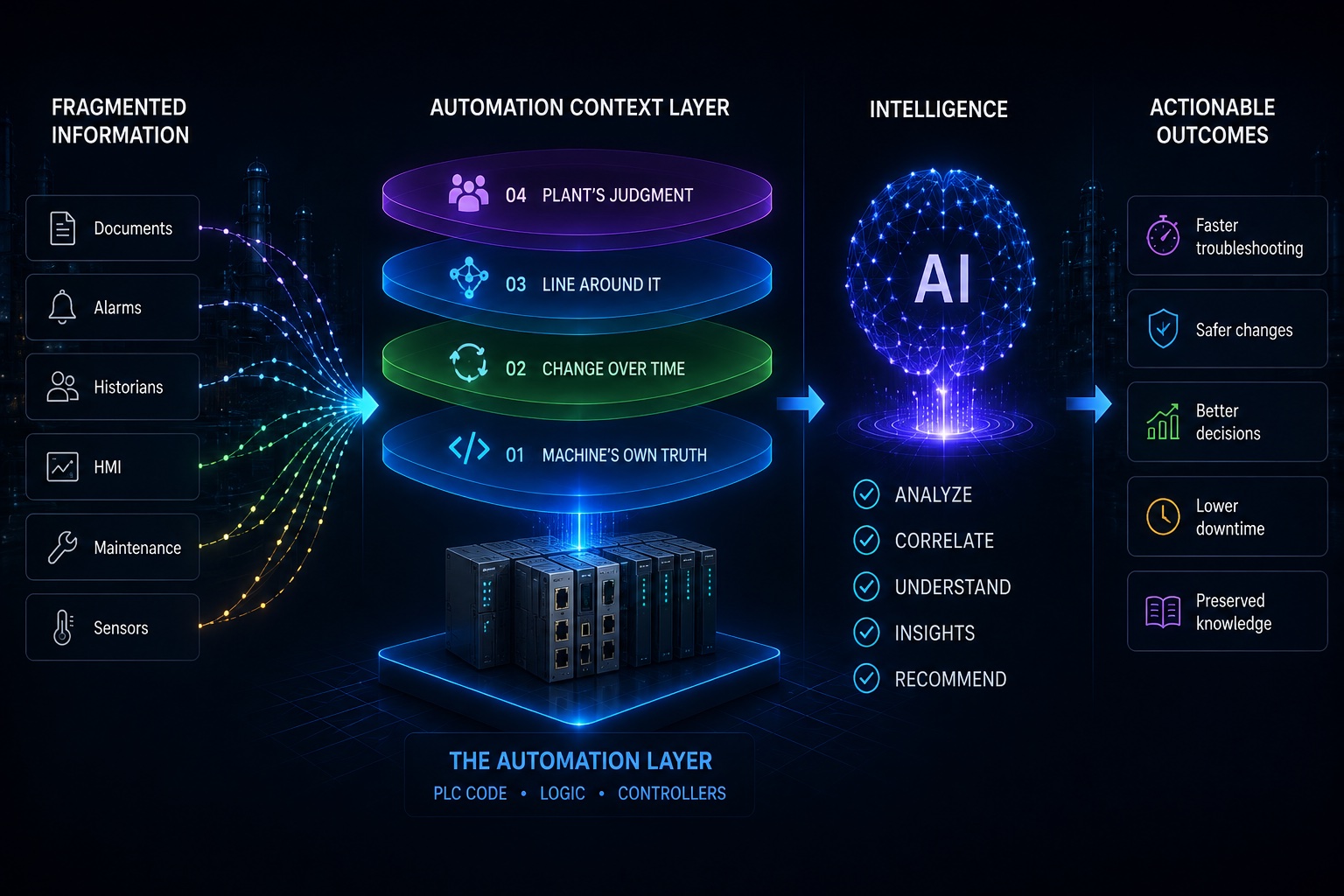
Industrial AI doesn’t have an intelligence problem. It has a context problem.
Today’s AI models are extraordinarily capable. But intelligence alone can’t tell you why a production line stopped, what an interlock protects, or what happens three stations downstream if an engineer changes a rung.